Instrument control
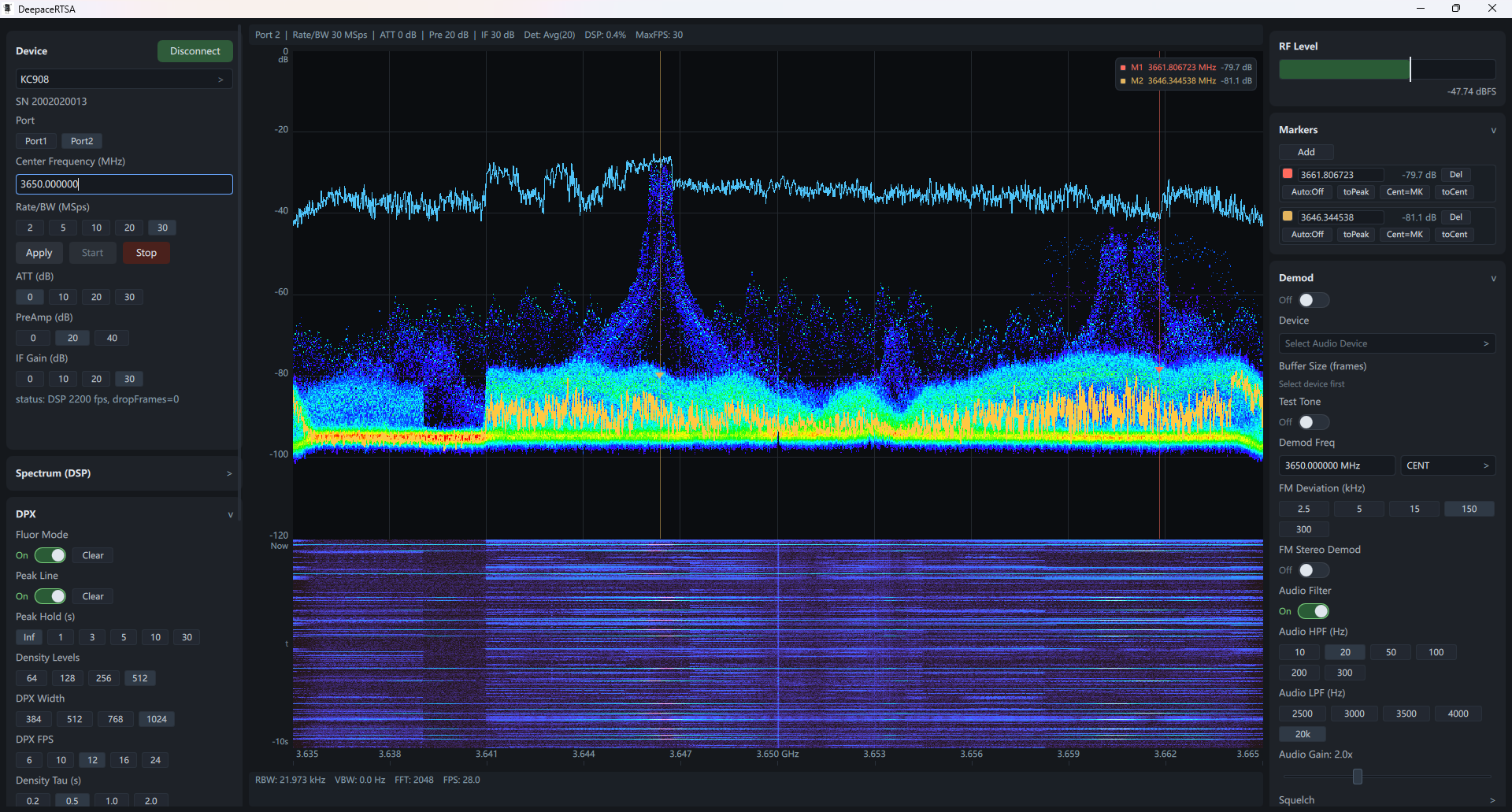
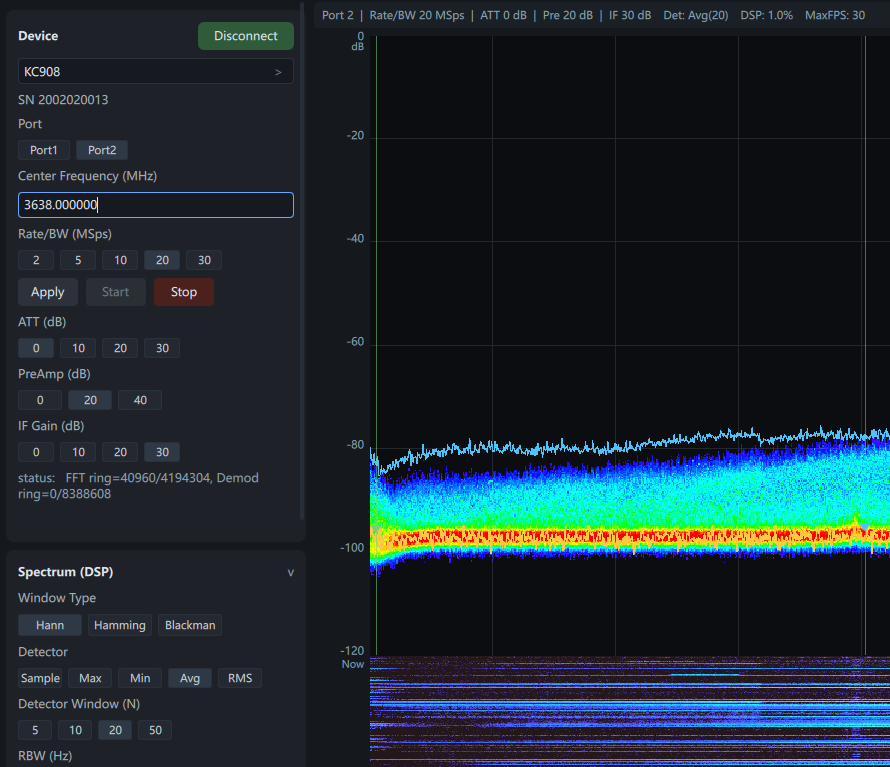
KC908 connection, RF port, center frequency, Rate/BW, ATT, preamp, and IF Gain stay available without changing screens.
- Connect / Disconnect / Start / Stop
- Port1 and Port2 selection
- Immediate RF and DSP parameter changes
Built for KC908 receivers, DeepaceRTSA gives operators a direct view for real-time RF observation, signal tracking, FM/NFM listening, and audio-chain diagnostics on Windows.
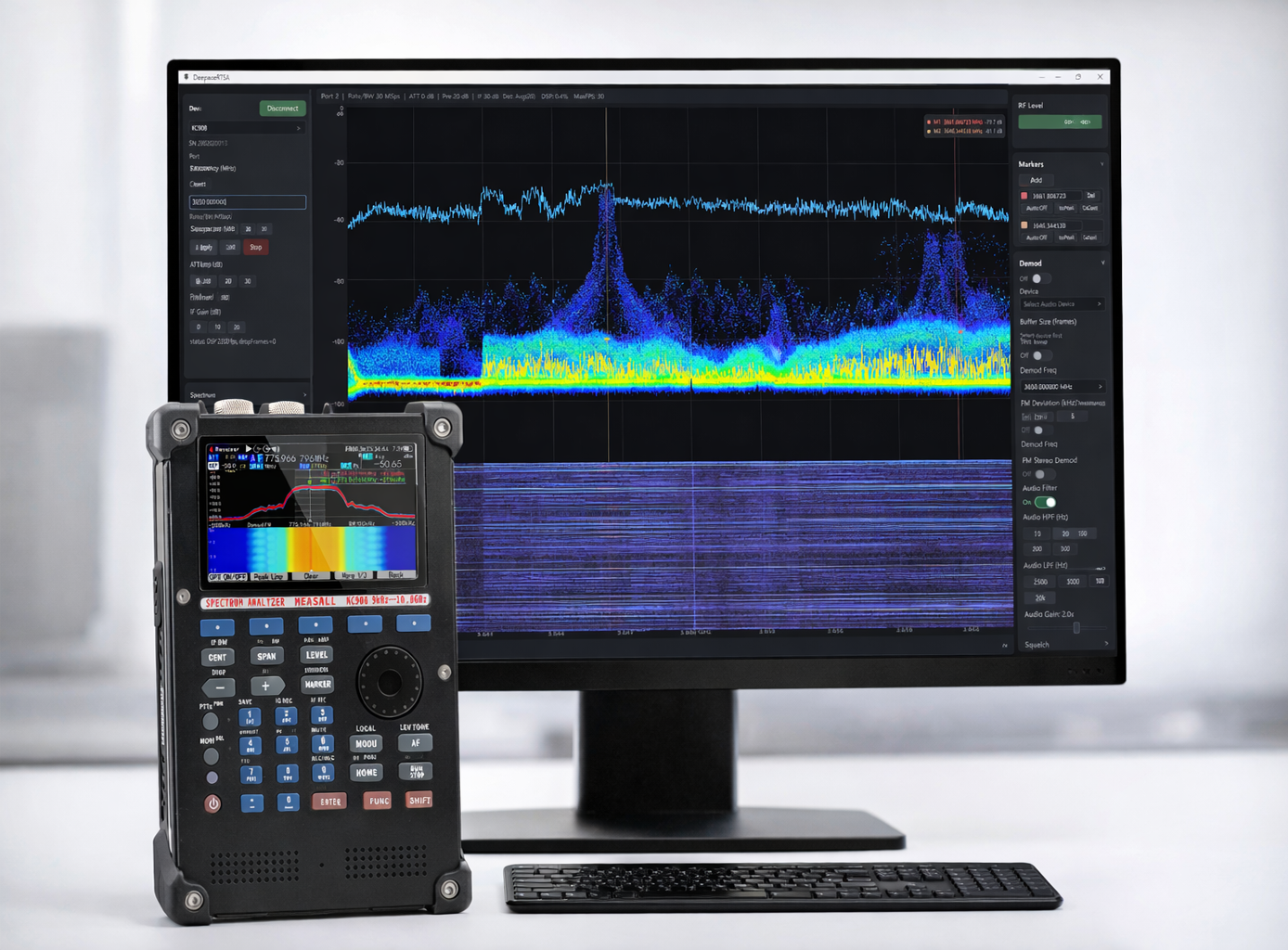
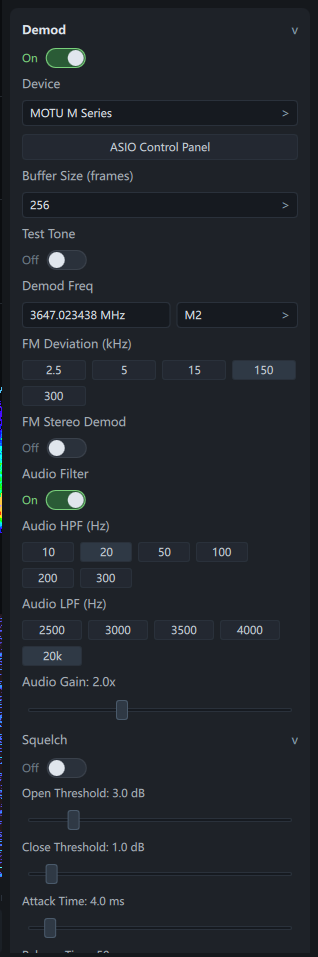
Quick access to demod target, device selection, buffer size, and channel routing.
Control instrument settings, observe the spectrum, and complete measurement tasks inside one continuous workflow, from signal discovery to signal confirmation.
KC908 connection, RF port, center frequency, Rate/BW, ATT, preamp, and IF Gain stay available without changing screens.
The main view combines FFT, RBW/VBW, peak line, overload alerts, and runtime indicators in one panel.
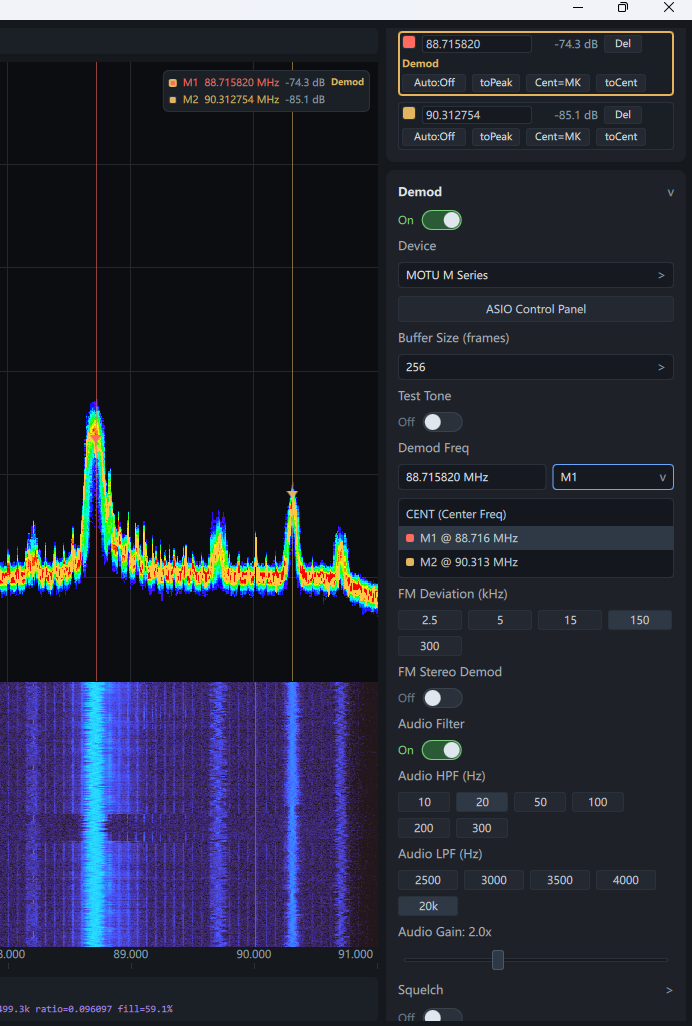
The FM/NFM demodulator stays inside the same workflow with audio device selection, buffer control, filters, and squelch.
These screenshots show the main operating areas DeepaceRTSA uses for day-to-day analysis and demodulation work.
Receiver settings, spectrum, markers, and runtime feedback stay in one view.
Demodulation, device output, and audio adjustments are grouped in one panel.
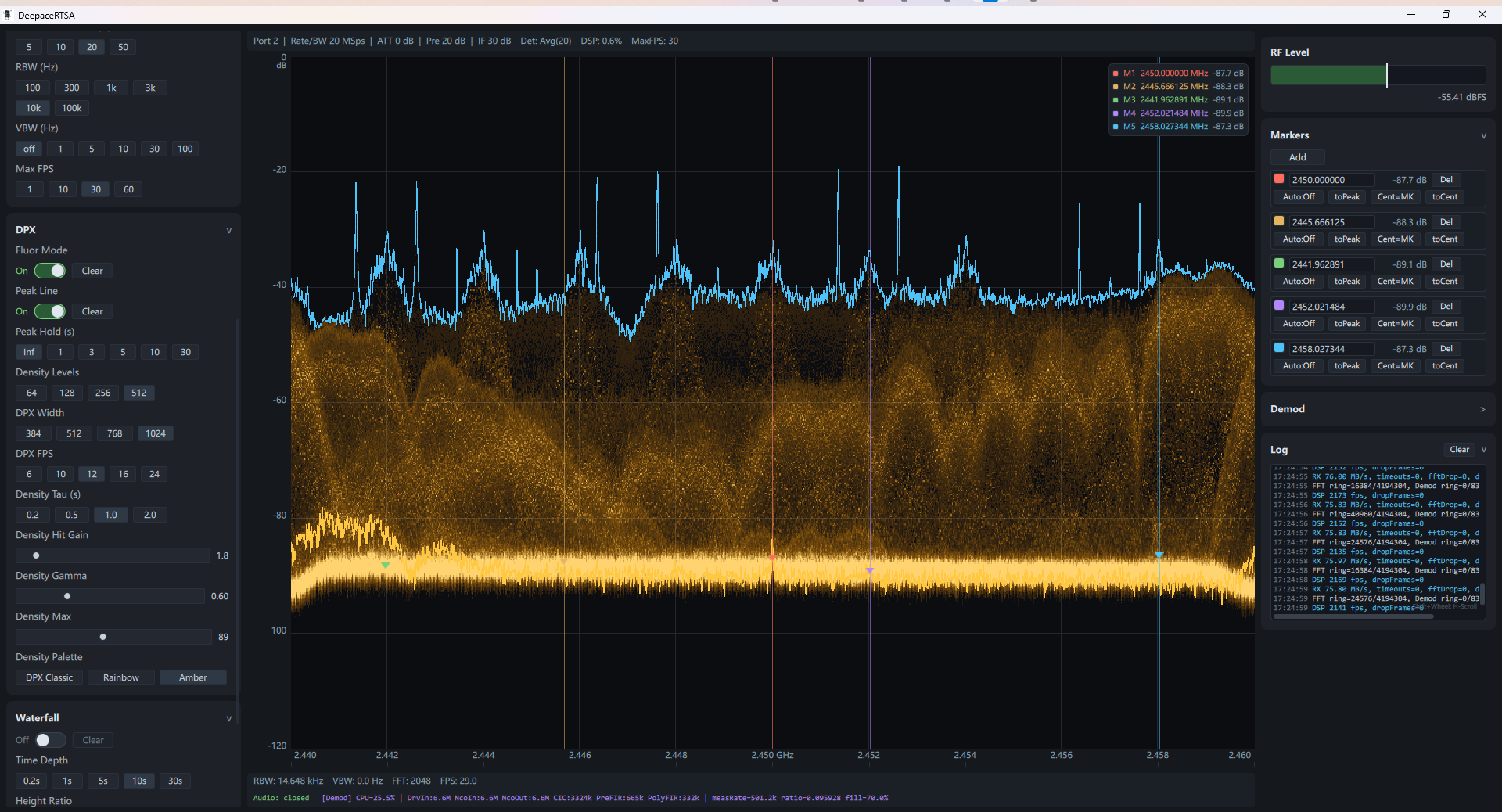
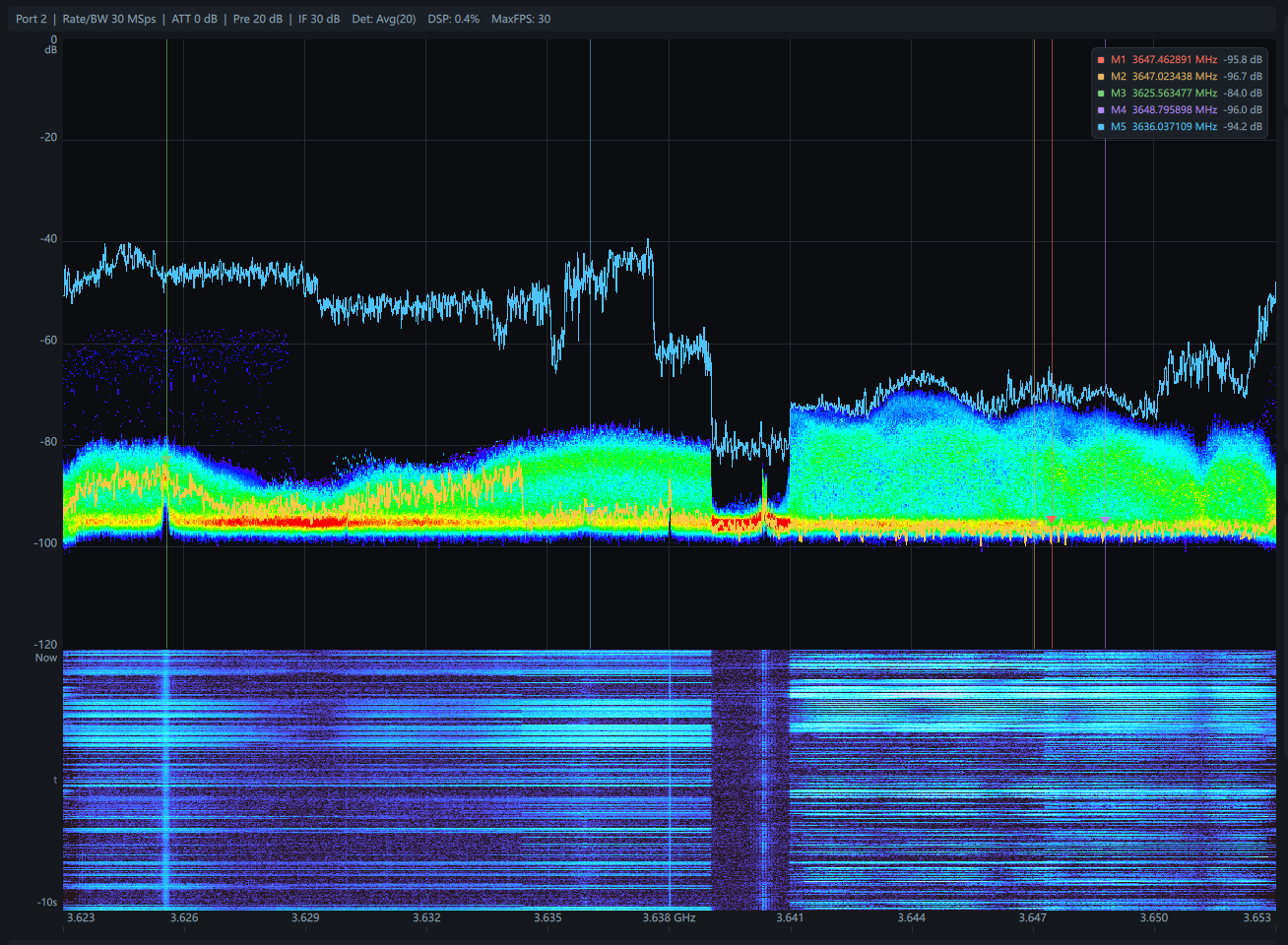
DPX and waterfall add occupancy history and temporal behavior to the spectrum readout.
Connection, port choice, gain chain, and operating bandwidth stay close at hand.
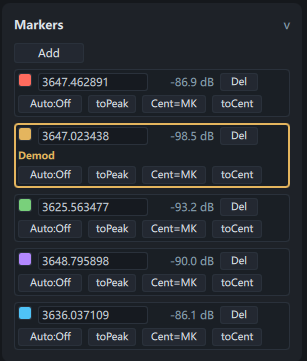
Markers support fast lock, measurement, and frequency focus during active monitoring.
Digital streams from the KC908 high-performance RF front end are extended into a broader and more direct operating experience.
The demodulation chain is tuned for real-time listening, and with professional sound cards plus ASIO output it is better suited to workflows that require watching and listening at the same time.
The density layer makes burst activity, hopping signals, and occupancy changes easier to spot.
Time history helps read drift, carrier appearance, carrier drop, and periodic behavior.
Add, move, peak-track, or recenter markers, then bind demodulation directly to the point of interest.
The audio panel keeps deviation, filters, gain, squelch, and output controls together for faster operation.
ASIO, buffer size, and channel mapping make it easier to work with sound cards, consoles, and monitoring setups.
The navigation follows a natural order, from instrument connection to targeted listening.
Select the KC908, choose the RF port, and set the observation bandwidth.
Use FFT, DPX, and waterfall to identify frequency, bandwidth, and signal behavior.
Place a marker on the target, measure its level, and recenter if needed.
Enable demodulation, tune audio settings, and monitor DSP and audio state in the log panel.
The software is suited to workflows that need spectrum observation and signal follow-up in the same session, without breaking operator focus.
The relationship between control, display, and listening stays clear, which makes the software easier to operate during continuous observation.
Receiver control, spectrum view, DPX / waterfall, marker-based measurement, and FM/NFM listening are all kept inside one desktop workspace for practical KC908 use in the lab, in the field, and in long-duration monitoring.
Download ZIP package View Deepace